How to STOP/Modify your Mutual Fund/MF SIP?
SIP can be canceled or modified only before 7 days of SIP due date.
-
Login to Mutual Funds using Neo app
-
Enter registered Phone number and password

- Enter OTP sent to registered number

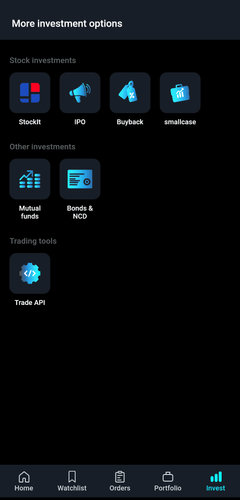
- After logging in, click on Invest from the bottom bar

- Under Other Investments, select Mutual Funds
-
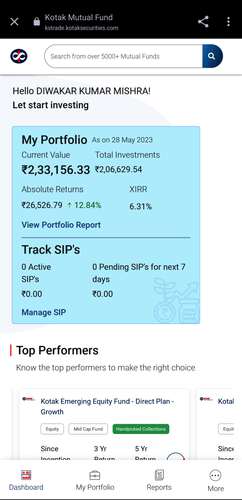
Click on Reports from the bottom bar and select Manage SIP
-
Click on 3 dots of the scheme you want to Stop or Modify and enter Edit SIP
-
To Modify the SIP, enter the new amount and select the new date for the monthly SIP
-
To Stop the SIP, click on Confirm and your SIP will be stopped
-
Login to Mutual Funds using Neo website
-
Enter registered Phone number, password
-
Enter OTP sent to registered number
-
After logging in, click on Invest
-
Under Other Investments, select Mutual Funds
-
Click on Reports and select Manage SIP
-
Click on 3 dots of the scheme you want to Stop or Modify and enter Edit SIP
-
To Modify the SIP, enter the new amount and select the new date for the monthly SIP
-
To Stop the SIP, click on Confirm and your SIP will be stopped
-
Login to Mutual Funds using KST app
-
Enter User ID and password


- Enter access code to login

- After logging in, click on More from the bottom bar

- Scroll down to view Core Investments
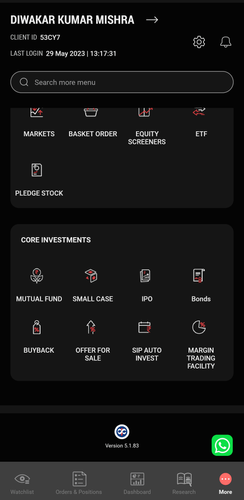
- Select Mutual funds
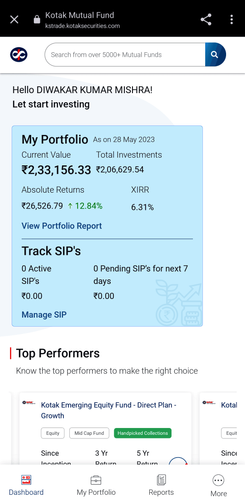
- Click on Reports from the bottom bar and select Manage SIP
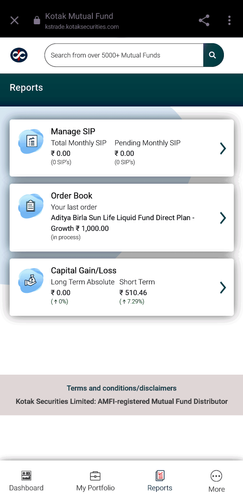
- Click on 3 dots of the scheme you want to Stop or Modify and enter Edit SIP
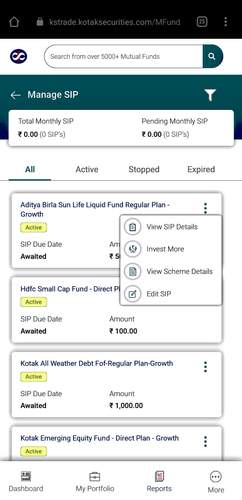
- To Modify the SIP, enter the new amount and select the new date for the monthly SIP
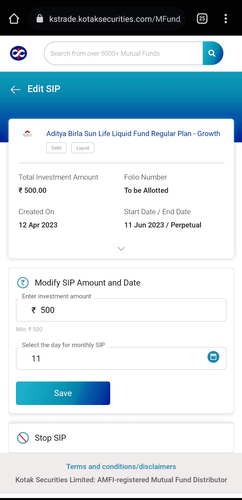
- To Stop the SIP, click on Confirm and your SIP will be stopped
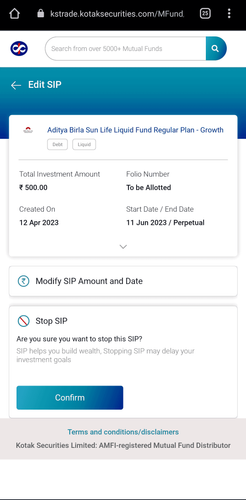
-
Login to Mutual Funds using Kotak Securities website
-
Enter User ID and password
-
Enter access code to login
-
After logging in, click on More
-
Scroll down to view Core Investments
6 Select Mutual fund
-
Click on Reports and select Manage SIP
-
Click on 3 dots of the scheme you want to Stop or Modify and enter Edit SIP
-
To Modify the SIP, enter the new amount and select the new date for the monthly SIP
-
To Stop the SIP, click on Confirm and your SIP will be stopped