How to Set- up an E-nach Mandate?/ How to set-up an E-Nach Mandate for SIP auto-debit?
To Ensure your Mutual Fund SIP is auto-debited you need to set-up an E-Nach Mandate.
The Process to set-up an E-Nach Mandate in given in the below Linked PDF:
Steps in PDF: Click here
-
Login to Mutual Funds using NEO App
-
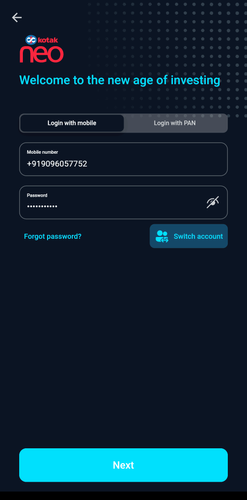
Enter registered Phone number, password
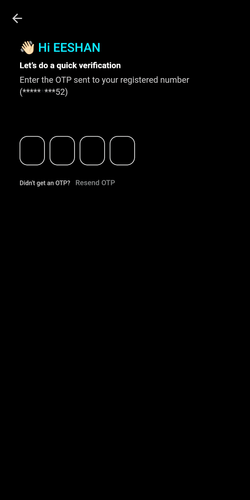
- Enter OTP sent to registered number
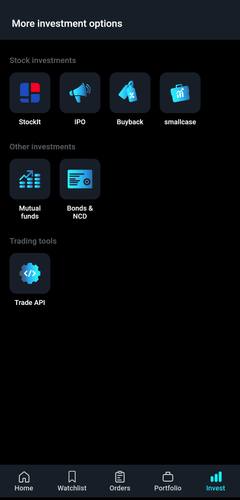
- After logging in, click on Invest from the bottom bar

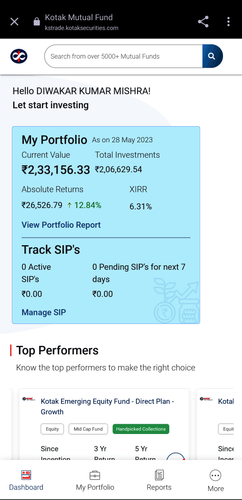
- Under Other Investments, select Mutual Funds
-
Scroll Down and click on More
-
Click on Bank and Mandate Details
-
Click on link received from BSE Star on registered email address
-
Login via Email or Gmail
-
Accept T&C and click on Submit
-
You will be redirected to your bank’s netbanking page. Fill your bank details, enter OTP and click on Confirm
-
E-NACH Registration will be complete post successful authentication.
-
Login to Mutual Funds using Neo website
-
Enter registered Phone number, password
-
Enter OTP sent to registered number
-
After logging in, click on Invest
-
Under Other Investments, select Mutual Funds
-
Click on the arrow on top-right Corner
-
Click on Bank and Mandate Details
-
Expand the option and cLick on Authenticate Mandate
-
Click on link received from BSE Star
-
Login via Email or Gmail
-
Accept T&C and click on Submit
-
You will be redirected to your bank’s netbanking page. Fill your bank details, enter OTP and click on Confirm
-
E-NACH Registration will be complete post successful authentication.
-
Login to Mutual Fund using KST App
-
Enter User ID and password
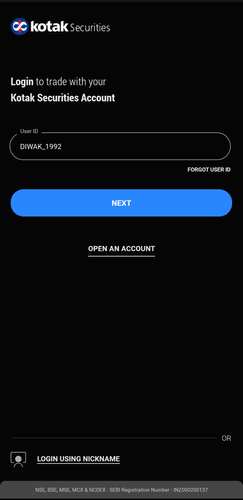
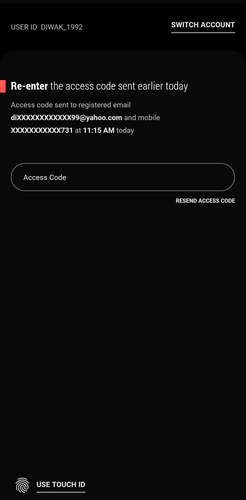
- Enter access code to login
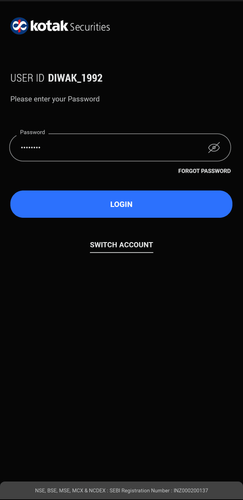
- After logging in, click on More from the bottom bar
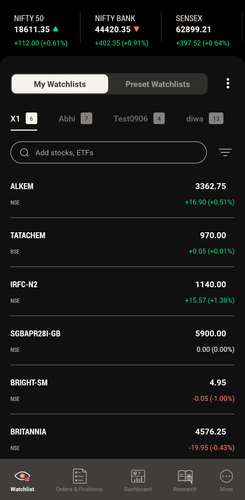
- Scroll down to view Core Investments
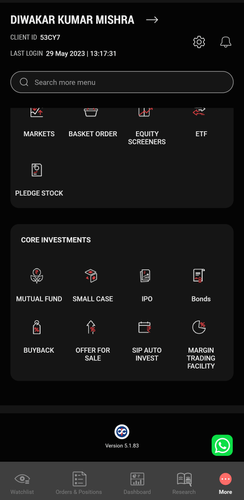
- Select Mutual funds
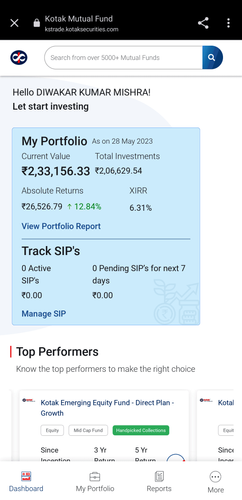
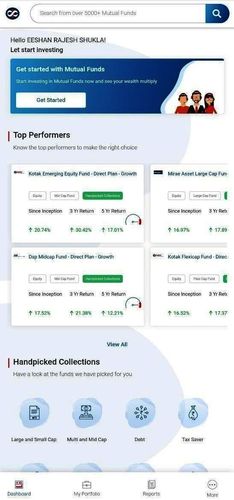
- Scroll Down and click on More
- Click on Bank and Mandate Details
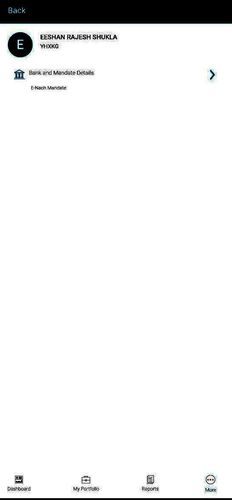
- Expand the option and Click on Authenticate Mandate
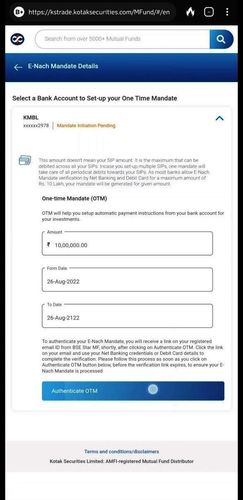
- Click on link received from BSE Star
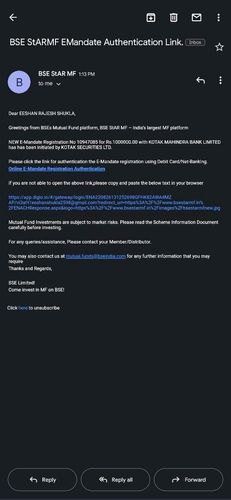
- Login via Email or Gmail

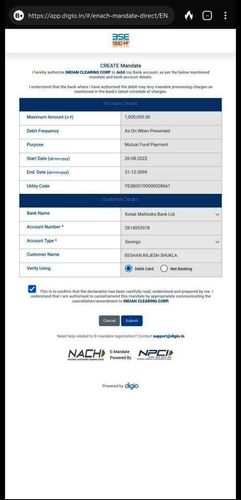
- Accept T&C and click on Submit
-
You will be redirected to your bank’s netbanking page. Fill your bank details, enter OTP and click on Confirm
-
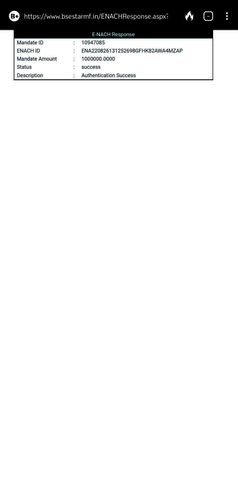
E-NACH Registration will be complete post successful authentication.
To set up an E-Nach mandate, please follow the steps outlined below - Set-up an E-Nach Mandate
Steps in PDF: MF Mandate
You must set up an E-Nach Mandate to ensure that your Mutual Fund SIP is auto-debited.
-
Login to Mutual Fund using Kotak Securities website
-
Enter User ID and password
-
Enter access code to login
-
After logging in, click on More
-
Scroll down to view Core Investments
-
Select Mutual fund
-
Click on the arrow at the top-right corner
-
Click on Bank and Mandate Details
-
Expand the option and click on Authenticate Mandate
-
Click on link received from BSE Star on registered email address
-
Login via Email or Gmail
-
Accept T&C and click on Submit
-
You will be redirected to your bank’s netbanking page. Fill your bank details, enter OTP and click on Confirm
-
E-NACH Registration will be complete post successful authentication.