How do I sell shares from my investments?
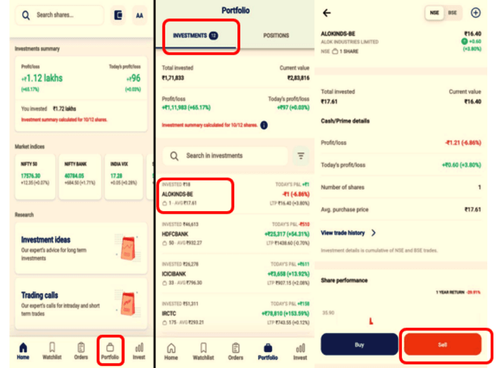
To sell a stock on NEO App, follow the below steps:
- Click on Portfolio
- Go to Investments
- Select the Stocks you intend to sell
- Click Sell
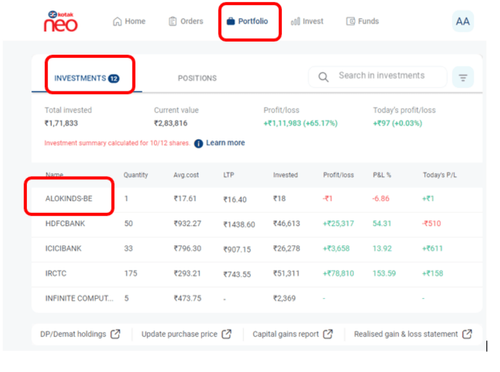
To sell a stock on Kotak NEO Web, follow the steps below:
- Click on Portfolio → Go to Investments → Select a Stock that you wish to sell
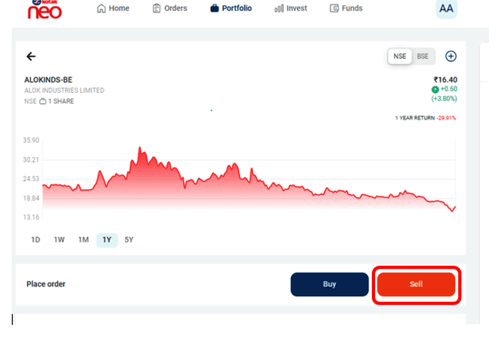
- Click on “Sell”
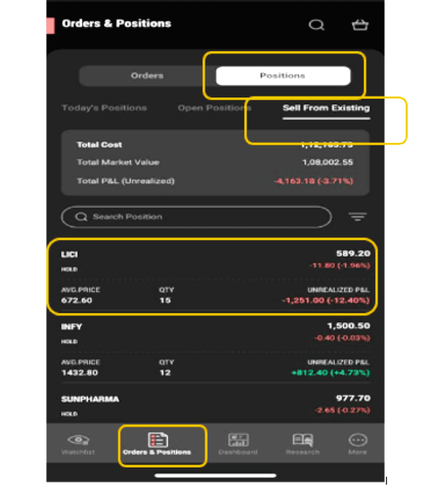
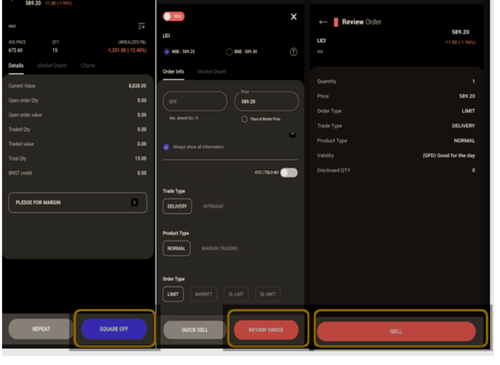
To sell a stock on Kotak Stock Trading App
- Click on Orders & Positions → Go to 'Positions' → Tap on 'Sell from Existing' → Select the Stock you intend to sell
- Click on 'Square Off' → Enter Qty and Click on 'Review Order' → Click on Sell
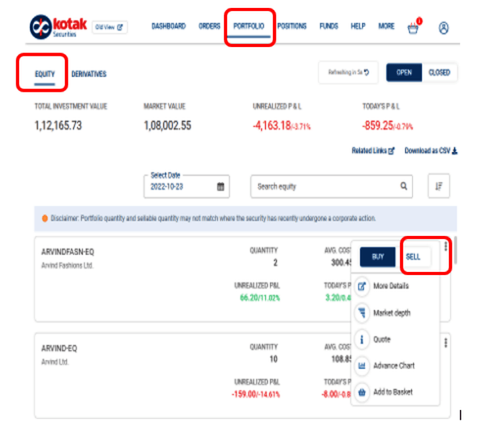
To sell a stock on KST Web, follow the steps below:
- Click on Portfolio → Go to Equity → Select a Stock that you intend to sell → Click Sell
This feature is not allowed for this platform.
Open Demat Account
Open Demat Account