Updates to help you make informed trading decisions.
Introducing Kill Switch on Kotak Neo.
Introducing Kill Switch on Kotak Neo, a revolutionary feature that empowers traders with greater control over their trading activities. Keeping in mind the importance of discipline in the dynamic world of trading, Kill Switch allows you to selectively disable specific trading segments on Kotak Neo for the entire day hence preventing fresh order placements.
How to use Kill Switch:
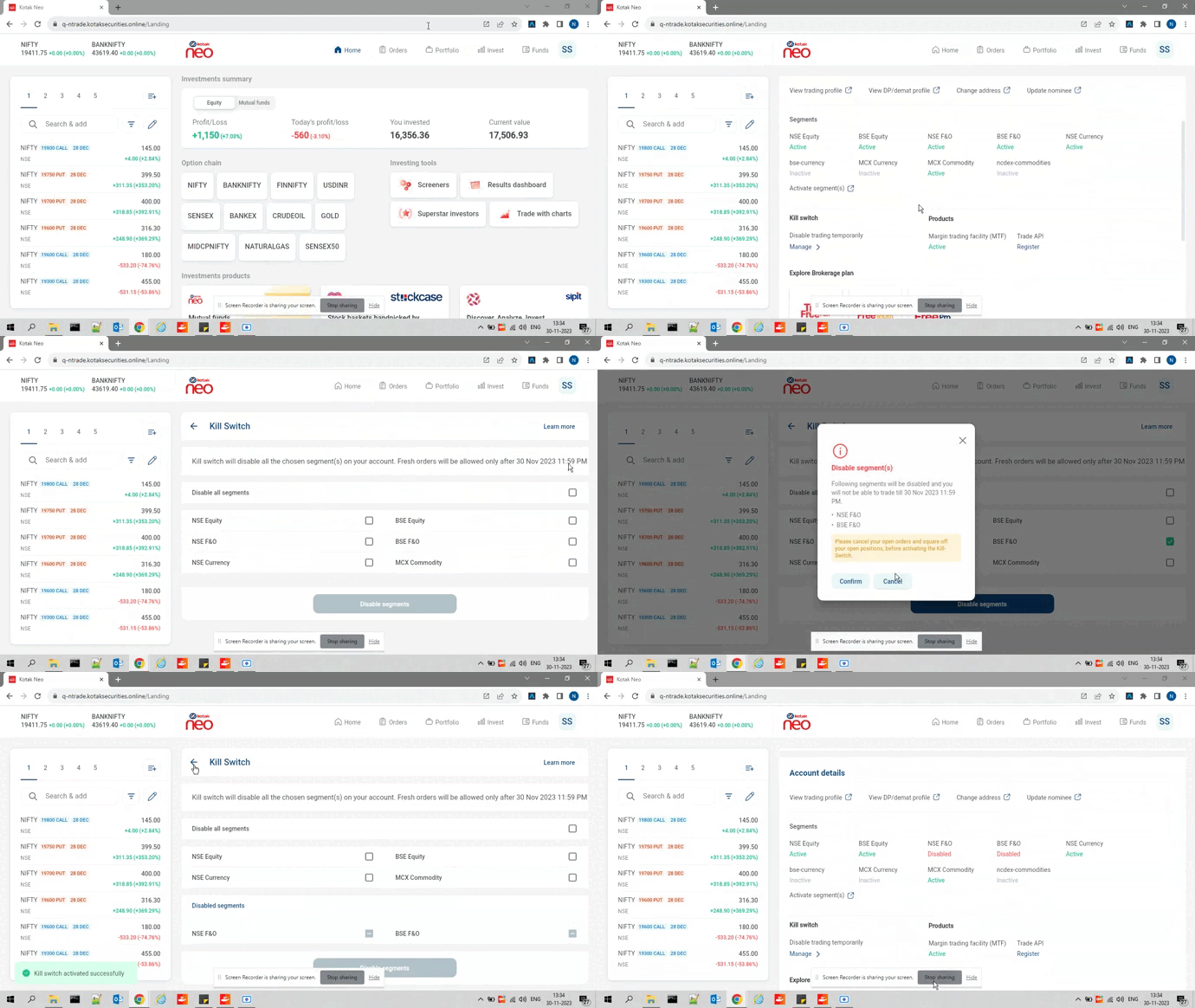
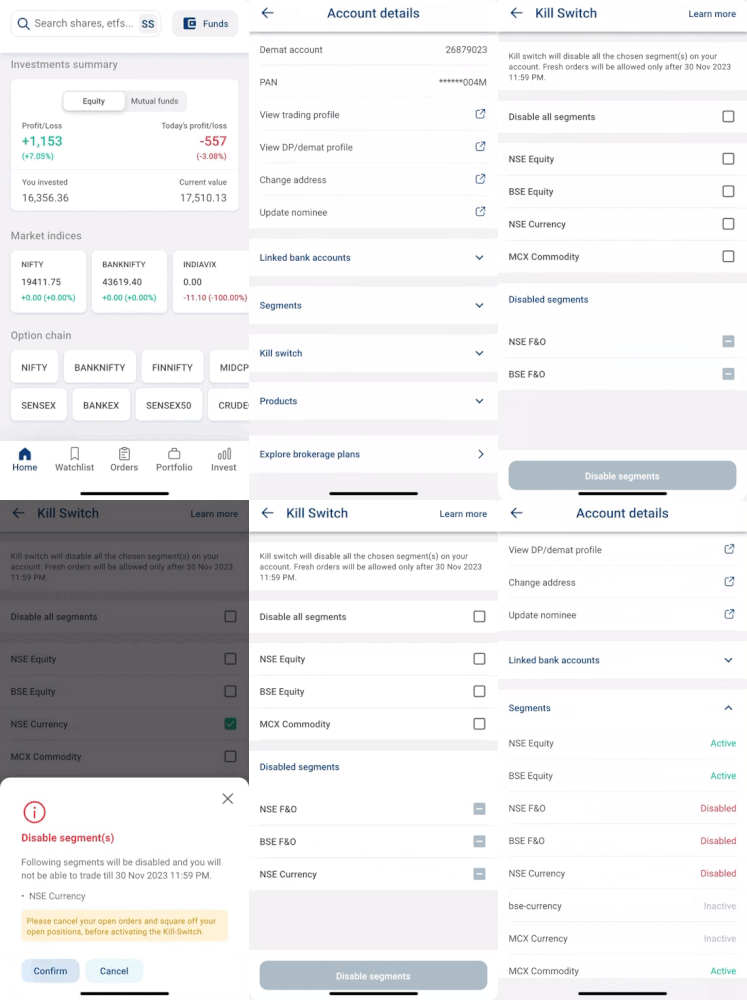
To activate the Kill Switch on the Neo Mobile App or Neo Website, just follow these simple steps:
Step 1: Navigate to Profile > Account Details > Under Segments > Kill Switch.
Step 2: Click on “Manage”.
Step 3: Choose one or multiple segments to disable, or disable all segments at once.
Step 4: Click on the "Disable Segments" button, confirm your choice, and the selected segments will be instantly disabled.
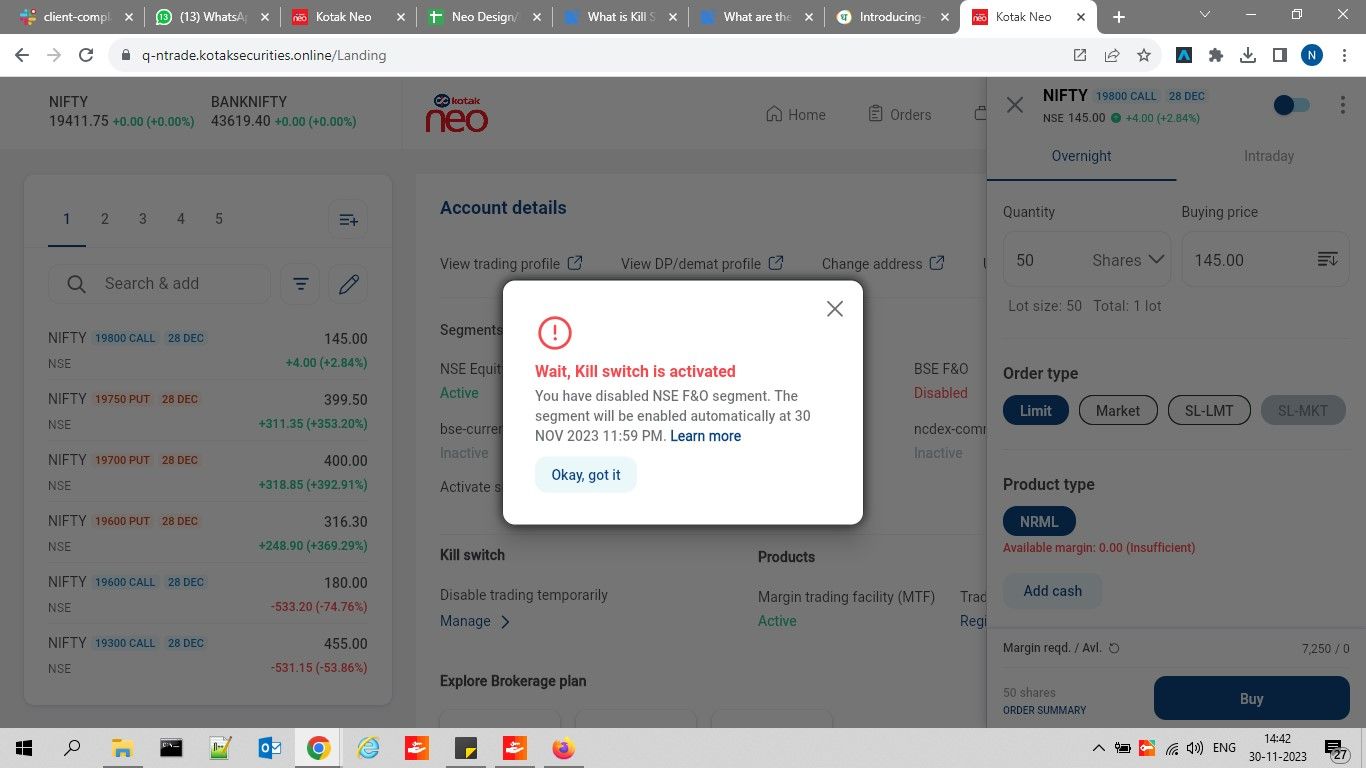
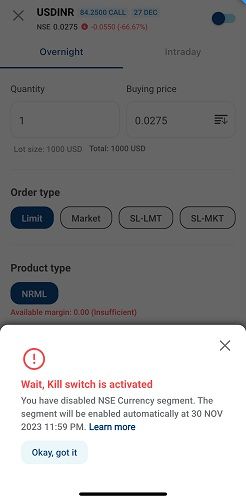
Step 5: Once a segment is disabled, order placement will be blocked until the end of the day (11.59 PM).
You could also follow the video below to understand how to enable Kill Switch on desktop:
You could also follow the video below to understand how to enable Kill Switch on mobile:
Important Note:
Before disabling a segment, cancel your open orders and exit/square-off your open positions.
Automatic Re-enablement:
The system will automatically re-enable the segments at midnight (12.00 AM) on the next day, allowing you to resume the order placement/trading with a refreshed perspective.
Experience a more balanced and controlled trading journey on Kotak Neo. Take breaks when needed.