Bulletins
Updates to help you make informed trading decisions.
Introducing Neo’s newest addition: InstaTrade
InstaTrade is a feature designed to make options trading easier and faster!
Follow these three simple steps to start trading instantly:
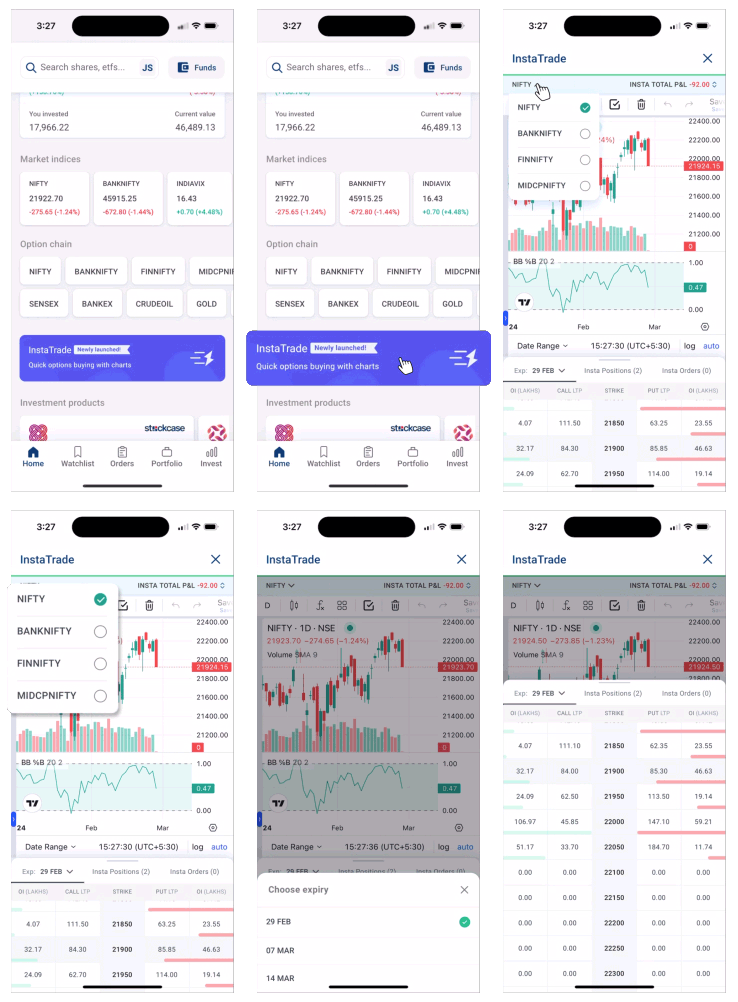
Step 1. Select Underlying and Expiry
- Click on InstaTrade
- Select underlying from the drop down menu at the top
- Change expiry directly on option chain
- Swipe up to view full option chain
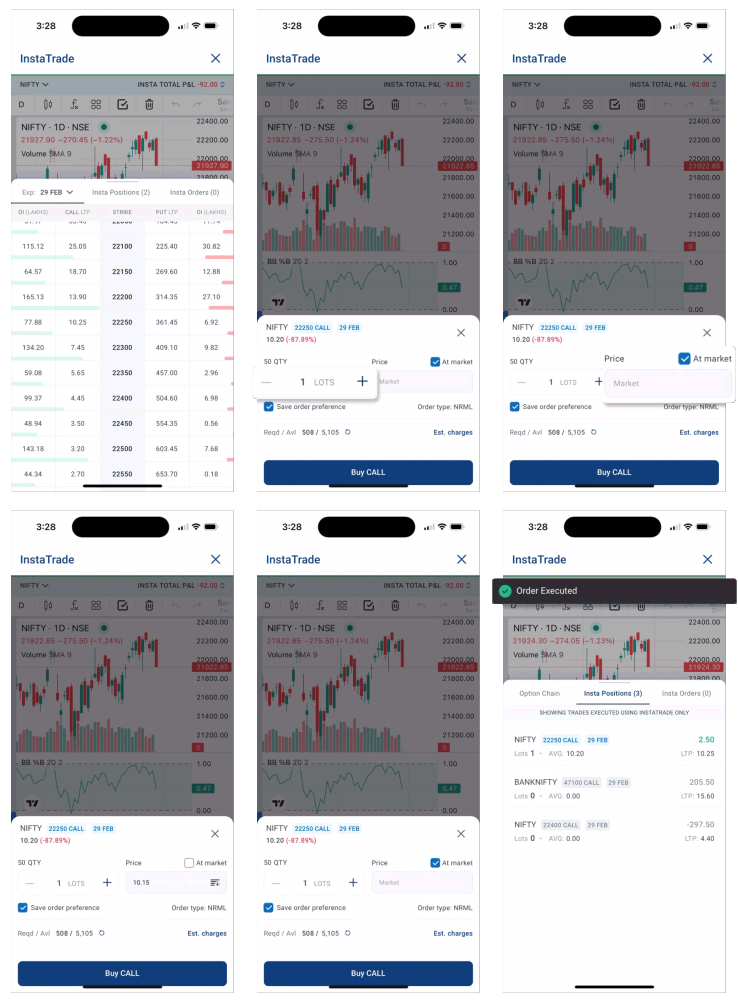
Step 2. Place an order
- Check OI and LTP
- Click on the strike you want to buy
- Choose lots by using ‘+’ and ‘-‘ icon
- Click on ‘Buy’ to place the order
- Pro Tip: Click on ‘Save order preference’ if you use same lots every time
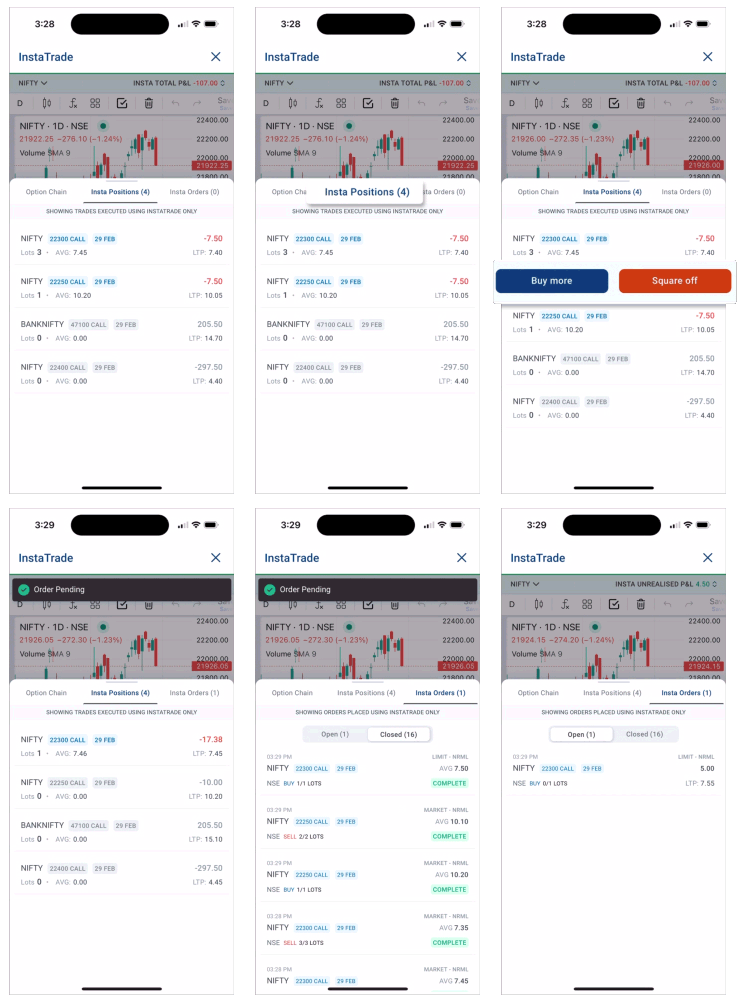
Step 3. Track your trades
- Check P&L on the top of your screen
- Click on your position
- Choose ‘Buy More’ or ‘Square off’
- Swipe up to view multiple positions
- Click on ‘Insta Orders’ next to Insta Positions to see open and closed orders
Important: If you square off your trade from outside InstaTrade, the trade will continue to show in InstaTrade until expiry.
Open Demat Account
Open Demat Account